


 MacRumors.com
 iOS 26.3 Makes It Easier to Switch From iPhone to Android
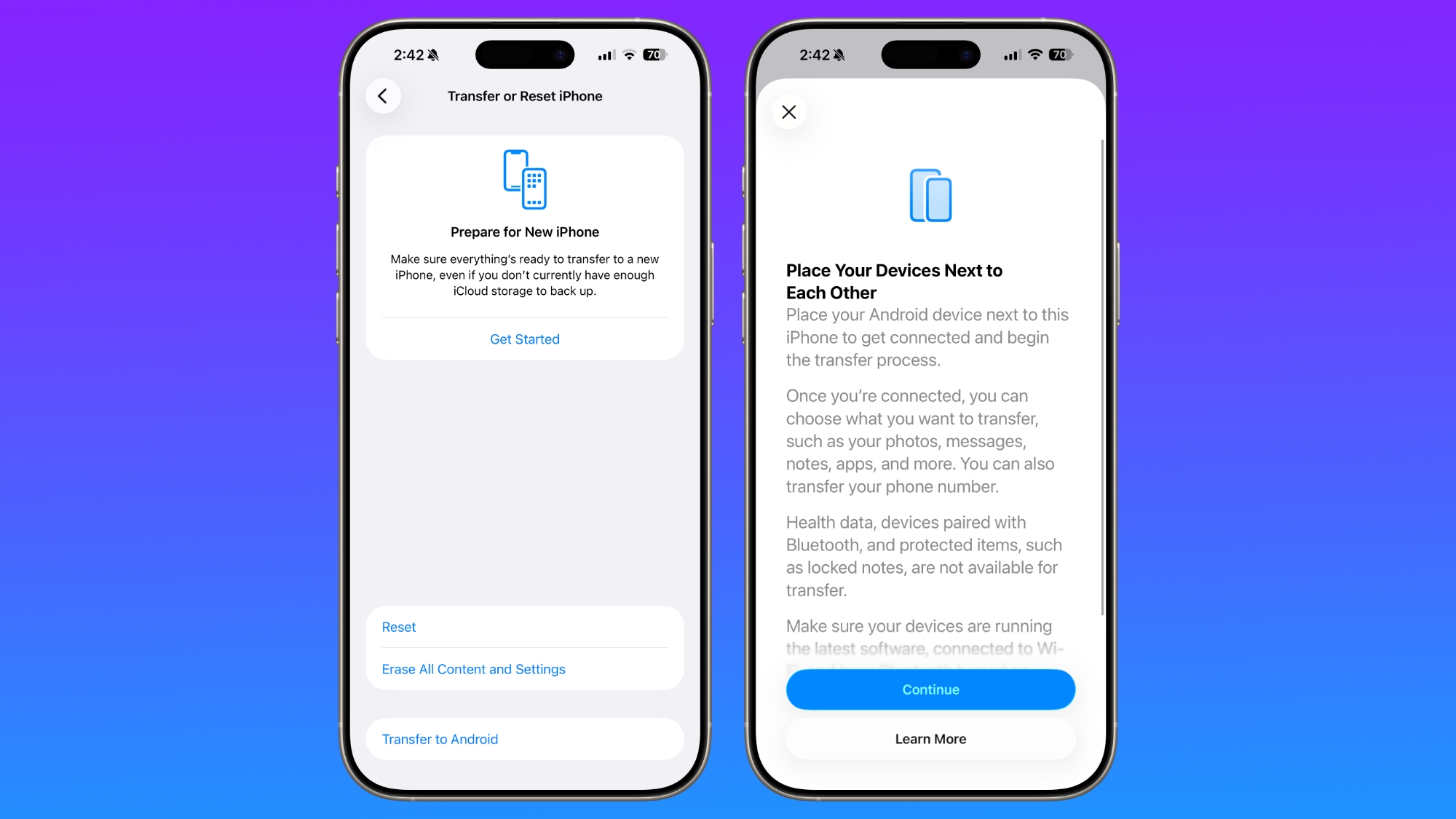
With iOS 26.3 , Apple is making it simpler for iPhone users to transition to an Android smartphone, with new built-in tools for transferring data. The new transfer tool allows an iPhone user to place their device next to an Android device to initiate a transfer process. With the two smartphones connected, users can opt to move over photos, messages, notes, apps, passwords, phone number, and more. Data transfers occur with no need to download and use a separate app, making the process simpler. Health data, devices paired with Bluetooth, and protected items like locked notes are not transferred over to the new device. Transferring data from an iPhone to an Android device wirelessly requires both devices to have the latest software, and to be connected to Wi-Fi with Bluetooth enabled. There will be an option to display a QR code on the Android device that the iPhone can scan to initiate the process, or there is an option to use a session ID and pairing code instead. Google has also implemented a similar feature for transferring data from an Android to an iPhone, so it is a two-way process between the platforms. Last week, the European Commission said that Apple and Google designed and implemented the new transfer system to comply with the Digital Markets Act in the European Union, but it is not a Europe-only feature. The new setting is available worldwide in the iOS 26.3 beta, and it can be found under Settings > General > Transfer or Reset iPhone > Transfer to Android. Related Roundups: iOS 26 , iPadOS 26 Related Forum: iOS 26 This article, " iOS 26.3 Makes It Easier to Switch From iPhone to Android " first appeared on MacRumors.com Discuss this article in our forums