


NVIDIA’s NemoClaw Puts Safer OpenClaw At The Center Of Agentic AI
NVIDIA introduced NemoClaw as the layer meant to make OpenClaw useful in environments where privacy, monitoring and policy controls matter more than demo magic.
NVIDIA introduced NemoClaw as the layer meant to make OpenClaw useful in environments where privacy, monitoring and policy controls matter more than demo magic.
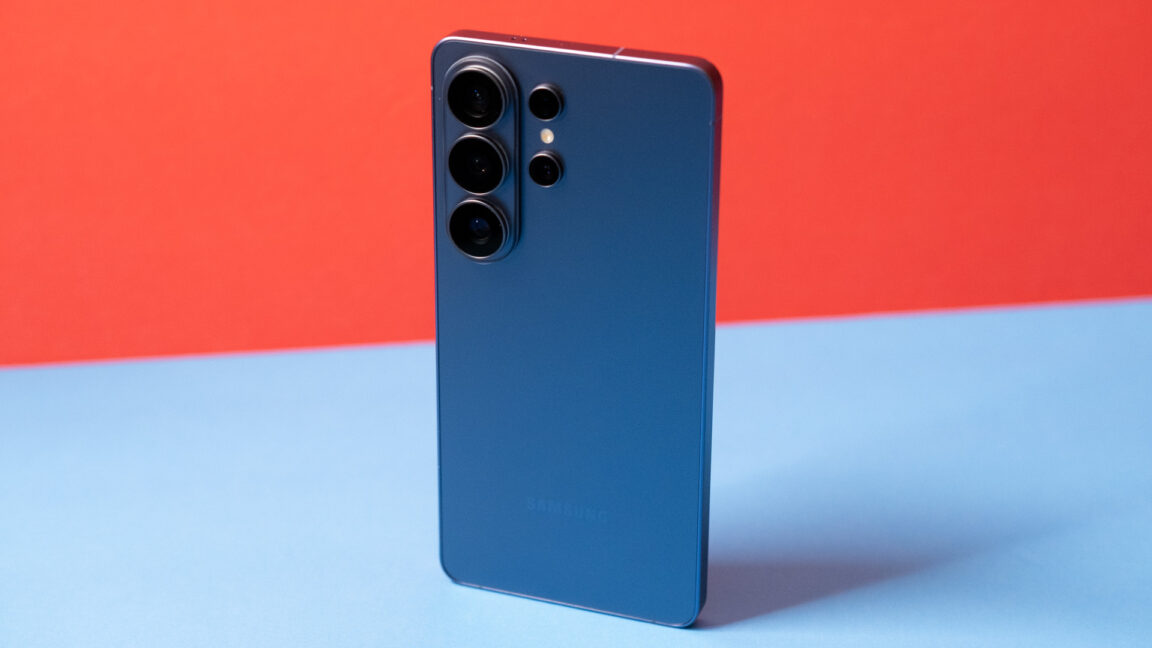
If you want to spend $1,300 on a phone, it might as well be this one.

The latest preview version of Windows 11 ( Build 26300.8068 ) brings a small but welcome feature that many have been wishing for. According to Windows Latest , Microsoft has made it possible to rename the Home folder that’s found in the C:\Windows\Users\ directory. For years, Windows 11 automatically created the Home directory with a default name based on the first five characters of your Microsoft account’s email address. You can see why this would be annoying. With the change in the Windows 11 preview build, a new option is available in the Windows Setup Experience (i.e., the dialog boxes that appear when installing or resetting Windows 11), which is also known as the Out-of-Box Experience (OOBE). The updated Windows Setup Experience includes a new “User folder name” option on the Device Name page, where you can input whatever name you want for the folder (as long as it follows Windows’ rules). Get Windows 11 Pro for cheap Windows 11 Pro Price When Reviewed: 199.99 Best Prices Today: $59 at PCWorld Store – Win 11 Pro Upgrade Only | $79.99 at PCWorld Software Store Regarding this change, Microsoft writes: Expanding on our work which started rolling to Insiders last fall, you can now choose a custom name for your user folder on the Device Name page when going through Windows setup. This most recent update now makes it easier to choose a custom name. The naming option is available during setup only. If you skip this step, Windows will use the default folder name and continue setup as usual.

A newly released study commissioned by the national gambling regulator of Germany suggests that most online gambling in the country… Continue reading Germany study finds most online gambling now on licensed sites The post Germany study finds most online gambling now on licensed sites appeared first on ReadWrite .
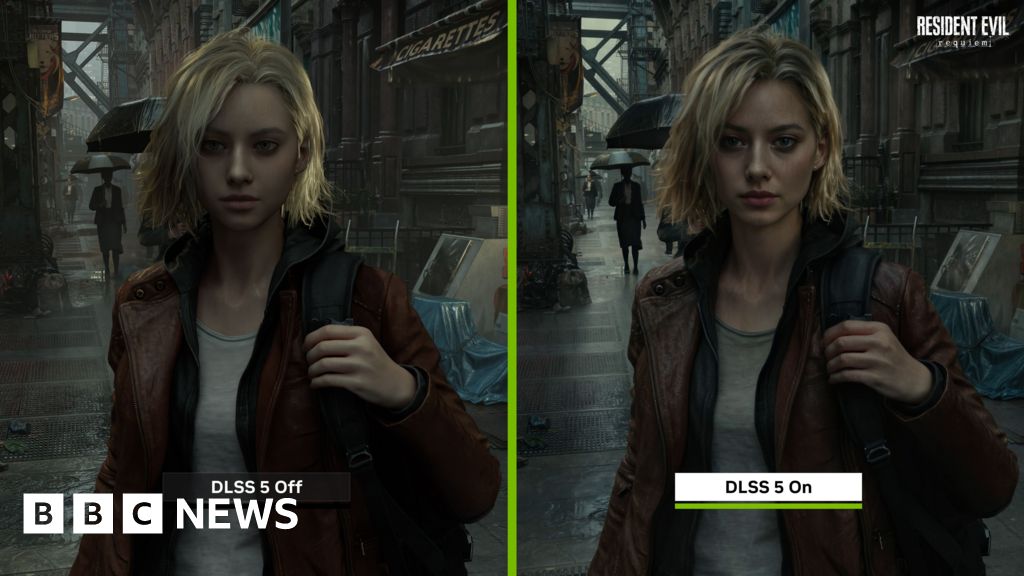
Nvidia says the tool will transform game graphics - critics warn it could squeeze out artistic expression.

If you're looking to take your home entertainment to the next level with a shiny new TV, you can save along the way with our list of the best TV deals. The post OLED for under $600 and a 98-inch TV for under $1,300: the best TV deals to shop this week appeared first on Digital Trends .

ARC Raiders has just rolled out its latest patch which include big nerfs to a problematic shotgun and a reduction in prices for Energy Clips.
China is escalating pressure on Apple's App Store just days after a fee cut, signaling the fight is shifting from commissions to the rules that govern payments and app distribution. China is escalating pressure on Apple China's ruling party newspaper, the People's Daily , said on March 17 that Apple should ease what it called "monopolistic" policies. The editorial followed Apple's move to cut its App Store commission in mainland China from 30% to 25%. Chinese officials framed the move as a result of regulatory pressure, with the change following communication with regulators. The timing shows regulators are pushing beyond pricing and into how Apple controls iOS . Continue Reading on AppleInsider | Discuss on our Forums

The returning star has hit out at an executive 'who was not only not a fan of the original, but was proud to constantly remind us that he had never seen the entirety of the series and how it wasn't for him.'

As of March 17, Boox released the Go 10.3 (Gen II) e-ink tablet. The new models are exceptionally thin and lightweight, with one model now featuring an added front light. The devices now come with Android 15 and start at $419.99.

AI is the #1 investment priority for IT, but nearly two-thirds of senior leaders don’t even know what AI applications they have.

Beats and Nike are teaming up for their first-ever hardware collaboration. The new “Powerbeats Pro 2 – Nike Special Edition” blend Beats and Nike design as part of a first-of-its-kind collaboration for Apple’s Beats subsidiary. more…

At a Glance Expert's Rating Pros Strong privacy practices Affordable long-term plans Lots of options for customization Free version with no data limits Cons Speeds were inConsistent in our tests Not the easiest VPN for beginners Free version has poor connection speeds Our Verdict Hide.me is a highly customizable VPN with strong privacy credentials, a good core feature-set, and reliable streaming access, making it particularly appealing for power users who like to fine-tune their setup. However, its interface can feel a bit overwhelming for beginners, and speeds were inConsistent in my testing. Overall, it’s a solid, privacy-focused service—but one that rewards technical curiosity rather than simplicity. Price When Reviewed This value will show the geolocated pricing text for product undefined Best Pricing Today Retailer Price Hide Me $69.99 View Deal Price comparison from over 24,000 stores worldwide Product Price Price comparison from Backmarket Best Prices Today: Hide.me Retailer Price Hide Me $69.99 View Deal Price comparison from over 24,000 stores worldwide Product Price Price comparison from Backmarket Hide.me VPN in brief: P2P allowed: Yes Simultaneous device connections: 10 Business location: Malaysia Number of servers: 2,600+ Number of country locations: 91+ Cost: $11.99 per month, $54.99 for 1-year, or $69.99 for 26 months Hide.me from Malaysia-based eVenture Ltd. continues to hang with today’s most popular services, even if it doesn’t quite have the same name recognition. It has long billed itself as a privacy-first VPN for people who like to tinker, and that reputation hasn’t changed. The service packs in an impressive array of features and even offers a free tier with the same core security protections as its paid plans. On paper, Hide.me makes a strong case for itself, but its flexibility comes with some minor drawbacks: The interface and sprawling menu system can feel a bit overwhelming and its connection speeds lack consistency. Read on to learn more, then see our roundup of the best VPNs for comparison. Hide.me features and services Since my last review, Hide.me has focused mostly on reaffirming its commitments to user privacy. The service completed another successful independent audit by security firm Securitum in June of 2024 which once again confirmed its no-logs policy. Additionally, Hide.me was re-accredited with a VPN Trust Seal by the independent VPN Trust Initiative (VTI) in late 2025. The VTI is an industry-led consortium that establishes and vets standards and best practices for VPN providers. While this isn’t quite the same as a full independent audit, it does demonstrate that the service is continuously maintaining a high level of security, privacy, and transparency. Hide.me also partnered with KuCoin Pay, allowing users to pay for the service with a wide variety of cryptocurrencies. Hide.me VPN hands-on Hide.me’s homescreen is completely customizable. Sam Singleton When you open up the Hide.me application you’re confronted with a dashboard that displays tiles with options for quick connect that will connect to the last-used server as well as tiles with information on your current IP address, account information, a list of streaming-optimized servers, and a list of your favorite locations. All of these tiles and widgets are movable and interchangeable, allowing you the freedom to customize the dashboard to suit your needs. It’s a useful interface, and while I wouldn’t call it plain, it does allow you to keep it as simple or detailed as you want. On the left sidebar you have additional tabs for Locations , Map , Features , Socials , and Settings , as well as Your Account , and Support . The Locations tab displays a searchable list of all available Hide.me server locations, with faster 10G servers tagged as such with an icon. Along the top you can filter through all servers, those optimized specifically for streaming, or multi-hop servers as well. All of these can be further sorted by ping, country name, or physical distance from your home IP. For those who prefer to navigate their VPN connections with a map, Hide.me has you covered there as well. Sam Singleton For those who are spatially inclined, the Map tab displays the physical location of all of these servers on a world map instead. The Features tab is where Hide.me really shines—there’s a lot here. It houses a deep toolkit: split tunneling, port forwarding, a kill switch, custom DNS, and Hide.me’s proprietary Stealth Guard firewall that blocks apps from accessing the internet unless the VPN is active. There is a feature called Bolt “Fast Proxy” which optimizes internet speed performance over an OpenVPN TCP connection. Theoretically, this can lead to speed increases, particularly in Windows. Hide.me’s proprietary Stealth Guard feature is also noteworthy. It’s basically an advanced, customizable version of a traditional kill switch. This can be used to limit either your entire internet or just certain apps unless a Hide.me VPN connection is present. It acts as a more granular firewall, ensuring your chosen apps never connect unencrypted. There is also a traditional kill-switch feature under the Settings tab as well. Additionally, under Features you’ll also find an ad- and tracker-blocker called “SmartGuard.” Like I said, Hide.me’s configuration options go deep. Add to that the vast array of protocols available and the option to use custom DNS and it quickly becomes apparent that power users have a lot to like with Hide.me. Hide.me comes with a ton of great customizable feature options. Sam Singleton That flexibility comes with a downside: Due to the sheer amount of available features and the maze of menus you need to work through to tweak all of them, this service probably isn’t for beginners—or the faint of heart. In the beginning, I personally found navigating the app a bit disorienting. Some things are listed under “Features” that I thought would be in “Settings” and vice versa. It’s a minor gripe though and figuring out the menu system is only a matter of spending some time in the application itself. Hide.me is available for Windows, Mac, Linux, Android, and iOS, as well as some consoles and smart TVs. There are also browser add-ons for Chrome and Firefox that come with support for the SOCKS proxy. How much does Hide.me cost? Hide.me offers a total of three different plan options for its premium service; a monthly plan, a 1-year plan, and a 2-year plan. The monthly plan costs $11.99 per month, which is a bit above the industry average. Sure, the VPN gives you a lot of configurable options, but similarly priced services such as NordVPN or ExpressVPN offer all of the same things plus extras like bundled password managers, identity protection services, and larger server networks. The 1-year plan is a better deal at $54.99 or $4.58 per month, which is still on the high end. The 2-year plan is where Hide.me really becomes affordable though. For a total of $69.99 or $2.69 per month, you’ll get access to the premium service for 24 months plus an additional two free months. That ends up making it cheaper than most other VPNs across the same time period. Finally, it’s worth noting that Hide.me has a handy free version that provides all of the great security features of its premium counterpart for absolutely no cost. The downsides are that you only have access to eight of its servers and you’re limited to one device connection at a time. Also, Hide.me recently did away with the data limits on its free plan which is a huge plus. In my testing, I noticed my connection speeds on average were quite a bit slower than with the premium version. Due to these limitations, I don’t recommend using the free version to stream, but it is a great way to browse securely or just to try out the service to see how you like it. When signing up for Hide.me you do have to provide personal billing information and it accepts payments via credit card, PayPal, Google Pay, and multiple cryptocurrencies via KuCoin pay. How is Hide.me’s performance? In order to test Hide.me’s speeds I rated connection speeds across its servers in countries all around the world for multiple days and then compared them to my baseline internet speeds. Across all locations tested, the speeds averaged just over 45 percent of the base download speed and 67 percent of the base upload speed. That’s okay, but short of our list of the fastest VPNs . These results fall right in line with the average speeds I found in my last review of the service. At a time when many other VPN providers are prioritizing server speeds, I can’t help but question why more hasn’t been done on Hide.me’s end in recent years to address the issue. That being said, within these aggregates were some truly incredible speeds—I noted some local U.S. servers running at 90 percent or greater of my baseline. I just found they weren’t consistent. It was quite common for each location to show some great relative speeds one day and then fall off completely the following day. I also found that the drop in speed was quite significant the further the Hide.me server was from my physical location. This is, of course, not uncommon as distance tends to affect latency, but it was still surprisingly drastic. Hide.me’s server list displays which connections are high-speed 10Gbps so you can choose the fastest locations. Sam Singleton Hide.me does indicate which servers have faster, 10Gbps connection speeds next to the locations on the server list. So if you have a higher speed connection, I advise you opt for those servers to maximize your potential VPN connection speeds. Also, testing with different protocols didn’t show one to be much faster than the others, however I did find that WireGuard had the slight edge over the others, as is to be expected. For Windows users Hide.me offers a feature called Bolt “Fast Proxy” which routes traffic through TCP instead of UDP. As proxy routing is often faster, you’re likely to get a bit of a performance boost here. During my testing I noticed very slight increases on average, but not enough for me to opt for proxy routing over the stronger encryption standards of a VPN connection. Please note however that online speeds can vary wildly in pure Mbps tests from day to day and even hour to hour. It’s best to take any and all speed tests with a grain of salt. Your experience with Hide.me may differ from those in the tests for this review. Despite these middling speed results, unless you’re gaming, streaming 4K videos, or downloading large files, I don’t really think it will be too much of a concern. Hide.me’s speeds should be enough for browsing and everyday online tasks. In regards to streaming, Hide.me performed admirably. Under the server list there is a tab for streaming-optimized servers. Every optimized streaming server I connected to was able to access streaming sites such as Netflix and Amazon Prime without any problems. I was even able to access streaming sites with some non-optimized servers as well. Given these results, Hide.me should serve you well for accessing streaming content and getting around region blocks. Unfortunately, the same cannot be said for the Hide.me free version. Of all the eight servers offered with the free VPN, I found that every single one was blocked by Netflix. Given that the free plan specifically highlights that it doesn’t offer a streaming-optimized server, I can’t recommend Hide.me’s free version for those looking to stream. Something like our top free pick Proton VPN would be a much more reliable free VPN for streaming. How is Hide.me’s security and privacy? There are a good selection of protocols offered by Hide.me, but I usually recommend WireGuard. Sam Singleton The VPN comes with industry standard AES 256-bit encryption. It also offers a whole range of protocols including IKEv2, OpenVPN, SoftEtherVPN, WireGuard, and SSTP—that’s more than most other services. It even offers advanced configuration options for many of these protocols to add to the customization. Furthermore, in my testing I found that there were no IP address leaks when using Hide.me across any of its servers and protocols. Hide.me is owned by eVenture Ltd., an IT security company based out of Malaysia. Privacy-conscious users will be glad to know that Malaysia has no data retention laws and is not a member country of any surveillance alliances such as Five, Nine, or 14 Eyes. Hide.me has a very thorough privacy policy on its website. It states that it does not track your activity when you’re connected to the VPN. It doesn’t keep connection logs or store IP addresses. The company does, however, keep troubleshooting logs that include a randomly generated username and an internally assigned IP address for each user. The troubleshooting logs are erased every few hours, according to the privacy policy. Additionally, it logs monthly data traffic amounts for quality assurance purposes. The company did originally pass an independent security audit of its “No-log” policy by Defense Code Ltd., in 2015. In a previous review I criticized the service for not undergoing a new audit since that time. Hide.me was obviously paying attention though, as it completed not one, but three more audits since then; the latest being a successful no-logs audit by independent security firm Securitum in June of 2024. The fact that it was one of the first VPN services to undergo an independent audit back in the day gave it old-school privacy cred. Now, with the latest audits, the company continues to prove that it takes user privacy seriously—a welcomed sign. Hide.me also publishes annual Transparency reports detailing data requests the company has received in a given year. Is Hide.me worth it? Hide.me is a really intriguing VPN service. On the one hand it offers a fantastic tool set for power users to tweak and configure to their hearts’ content. On the other, it can’t quite nail down some basic things you want from a VPN such as consistent speeds across servers, and the user interface, while okay, could probably use a redesign to make it more intuitive. It has a great privacy track record though, and the service was able to unblock all streaming sites that I tested. Overall, it’s a well-rounded service that ticks nearly every box you could want from a top VPN. I can easily recommend it for experienced power users, but beginners might want to try the free version first before committing to the paid service. Editor’s note : Because online services are often iterative, gaining new features and performance improvements over time, this review is subject to change in order to accurately reflect the current state of the service. Any changes to text or our final review verdict will be noted at the top of this article.
They used a legitimate Microsoft service and a set of compromised credentials.

Apple and Nike are at it again. But this time, their collaboration doesn't involve Apple Watch bands or a shoe-tracking iPod . Instead, the companies are launching a new color option for Beats' fitness-focused earphones. Meet the Powerbeats Pro 2 - Nike Special Edition. "This isn't just a new colorway," Beats CMI Chris Thorne wrote in a press release. "It's a collision of two brands that define performance, culture and sports — the attributes of today's athlete." Okay, cool, but marketing-speak aside, this is, in fact, just a new colorway. However, depending on your taste, it might be one you're into. Nike's "Volt" palette takes center stage, with its love-it-or-hate-it electric yellow-green motif. The two companies share logo duties, with the Beats "b" on the left bud and Nike's swoosh on the right. Meanwhile, the charging case takes you to Speckle City, looking like something Jackson Pollock flung a can of leftover shoe paint onto. Apple / Nike Otherwise, these are the same Powerbeats Pro 2 earphones that launched last year. You get heart-rate tracking, decent ANC and Spatial Audio. You can revisit Billy Steele's review for more details on the earphones. To help move the product, Beats and Nike called upon an athlete they both sponsor: a little-known hooper named LeBron James. The Lakers vet stars in a new ad, where he uses the Nike Powerbeats to tune out the noise with a little help from Lionel Ritchie. You can watch the commercial below — and order the new colorway from Apple’s and Nike's respective websites on March 20. The Nike Special Edition Powerbeats Pro costs the same $250 as the standard version. However, this is a limited-edition variant, so there's no guarantee it will be around for long. This article originally appeared on Engadget at https://www.engadget.com/audio/headphones/apple-and-nike-team-up-for-a-new-powerbeats-pro-2-colorway-140000882.html?src=rss

Netflix's Assassin's Creed cast announcement has got me feeling optimistic about the upcoming series.
 Forbes Tech
  Ars Technica
  PCWorld
  ReadWrite
  BBC News Technology
  Digital Trends
  AppleInsider
  Gizmodo
  Mashable
  9to5Mac
  TechRadar
  Engadget