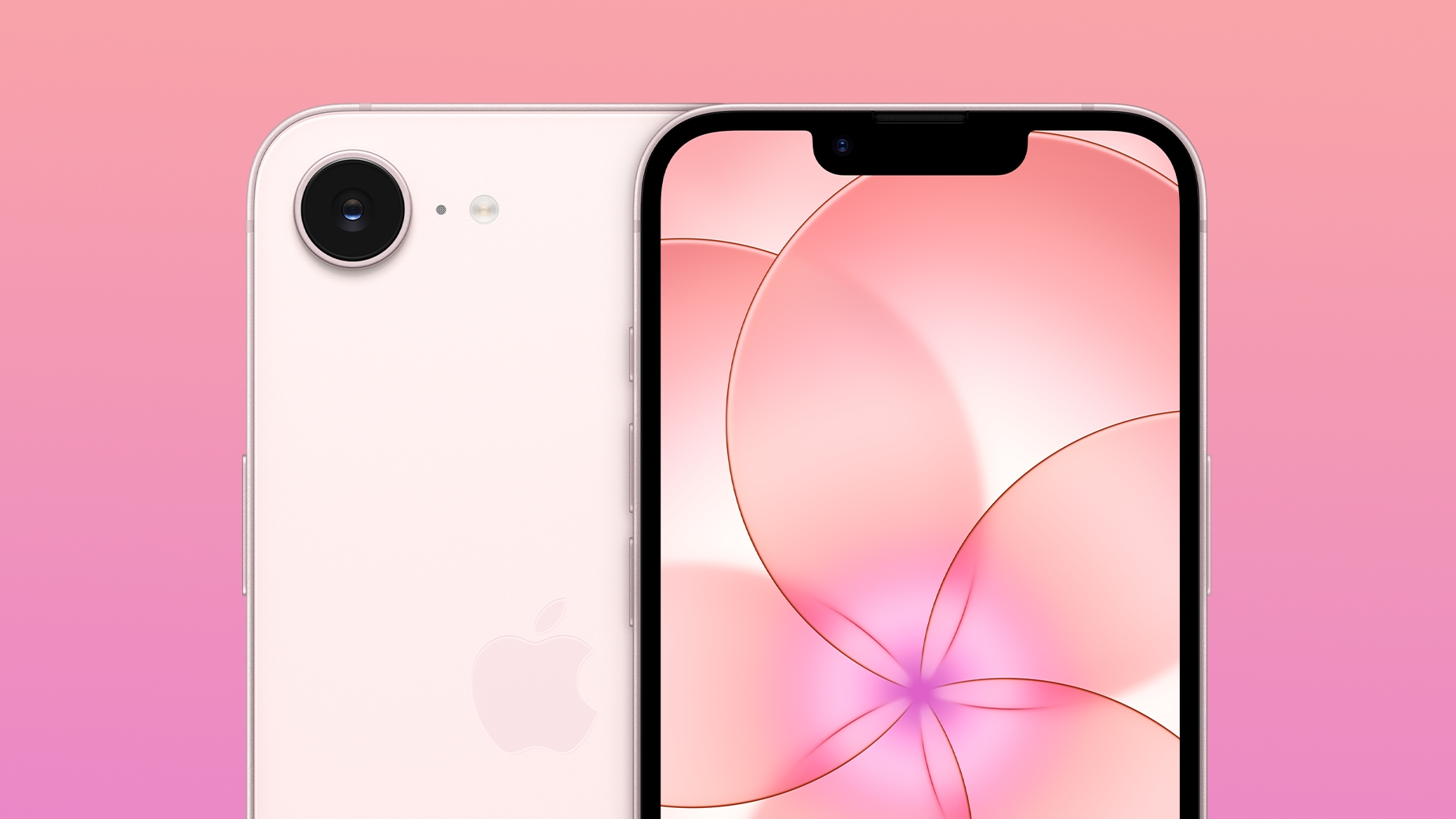
A free iPhone 16e and a cheap unlimited data plan - what's not to love about this deal at Metro by T-Mobile?
Metro by T-Mobile is throwing in a free iPhone 16e right now with its unlimited plans - and those are pretty damn cheap, too.
"Any time there’s dynamic change, there’s the opportunity for new ideas."
The Austrian Supreme Court has ruled that loot boxes present within video games do not constitute gambling under their gambling… Continue reading Austrian Supreme Court rules that loot boxes do not constitute gambling The post Austrian Supreme Court rules that loot boxes do not constitute gambling appeared first on ReadWrite .
Here's what new show has knocked His and Hers off the #1 spot in Netflix's top 10 list.
The Bluetti Elite 10 mini portable power station is on sale at Amazon for $112.99, down from the list price of $199. That's a 43% discount.
Honda and DriveOhio have teamed up on a new road safety initiative in which Honda vehicles are being used to collect real-time data that can advise about potential issues and road deficiencies before they become a problem. Honda’s Proactive Roadway Maintenance System, which has been in prototyping since 2021, uses "advanced vision and LiDAR sensors" to identify issues such as worn or obstructed road signs, damaged guardrails, rough roads and emerging potholes. During the pilot, members of the Ohio Department of Transportation’s smart mobility hub drove the test vehicles on around 3,000 miles of road in central and southeastern Ohio. They covered a mix of urban and rural environments, in varying weather conditions and at different times of the day. ODOT operators were able to review any flagged road or infrastructure deficiencies in real time using smart dashboards developed by Honda and tech firm Parsons. The University of Cincinnati helped Honda fit the sensors to its vehicles, led the development of the damage detection feature and assisted ODOT during the pilot. The data collected by the vehicles was processed by Edge AI models and then passed on to Honda’s own cloud platform. The system then automatically generated work orders for ODOT’s maintenance teams in order of priority. While a relatively small pilot in scope, the Proactive Roadway Maintenance System performed well in the trial across a number of metrics, delivering as high as 99 percent accuracy at highlighting damaged or obstructed signs. Accuracy was 93 percent for damaged guardrails and a slightly lower 89 percent for spotting potholes. Honda says its technology could also detect high-severity shoulder drop-offs that were easy to miss in a routine visual inspection, while the system also proved reliable at measuring road roughness. The team that worked on the project estimated that if implemented on a larger scale, the automated system could save ODOT over $4.5 million a year. Honda and its partners are now looking at ways to scale up the prototype Proactive Roadway Maintenance System for real-world use. The manufacturer also says it aims to eventually have similar technology in the vehicles of its customers, who will be able to share their own detection data anonymously and help create safer roads. This article originally appeared on Engadget at https://www.engadget.com/transportation/honda-vehicles-used-to-proactively-report-road-safety-issues-in-nation-first-pilot-151629967.html?src=rss
Apple’s new AirTag comes with several improvements over the original model, one of which is that it expands AirTag’s best feature—Precision Finding—to the Apple Watch. Here’s how to set it up. more…
A big deadline is looming for former Fitbit owners, who will have their historical data deleted if they don't migrate their account to a Google one.
Nothing won't launch a new flagship in 2026, but Carl Pei confirms the Phone 4a series is coming, and it's aiming closer to flagship territory than ever. The post Nothing says no to flagship phones in 2026, but confirms the 4a series is coming appeared first on Digital Trends .
Catch up on years of free games you've never touched.
Here is the Paradise season 2 release date, which is closer than you think and part of a new trend high-quality TV has started.
Before the twins had their barn-burning shindig at the juke joint, they were globe-trotting and breaking hearts.
The Esports Nations Cup has announced important details for its first event, including the prize pool, initial games and compensation for clubs.
At a glance Expert's Rating Pros High CPU and iGPU performance for a mini PC Good RAM and SSD expandability despite compact design Stable continuous performance thanks to good cooling system Modern connections including USB4 and dual 2.5G LAN Powerful AI acceleration for local AI workloads Cons At full load in 45-watt mode, the fan noise is clearly audible The built-in SSD limits the maximum possible transfer rates of the system Our Verdict The Alliwava GH8 is a good example of how much performance is possible today in the smallest of spaces. With the Ryzen 9 8945HS, it not only offers powerful CPU performance, but also added value for AI applications thanks to the improved NPU. It bridges the gap between a compact office computer and a powerful gaming station. In doing so, it leaves many competitors behind in terms of connectivity and cooling management. A real powerhouse for demanding users. Price when reviewed This value will show the geolocated pricing text for product undefined Best Pricing Today Price When Reviewed 769 Euro Best Prices Today: Alliwava GH8 Retailer Price Check Price comparison from over 24,000 stores worldwide Product Price Price comparison from Backmarket Tech specs: Processor: AMD Ryzen 9 8945HS (8 cores / 16 threads, up to 5.2 GHz, Zen 4 architecture) GPU: AMD Radeon 780M (12 cores, up to 2.8 GHz) RAM: 32 GB DDR5-5600 RAM (dual channel, expandable to 64 GB) Storage: 1 TB NVMe M.2 2280 PCIe 4.0 SSD (second slot available, up to 4 TB total capacity) Connectivity: Dual 2.5G LAN (Realtek RTL8125BG), WiFi 6 (Intel AX200), Bluetooth 5.2 Ports: 1 × USB 4.0 (Type-C), 1 × HDMI 2.1, 1 × DisplayPort 2.1, multiple USB 3.2 ports Operating system: Windows 11 Pro pre-installed Cooling: MSC 2.0 system with vapour chamber and dual fans Dimensions: 13 × 12.7 × 5.2 cm (L × W × H) Weight: approx. 580 grams The Alliwava GH8 aims to provide powerful notebook hardware in a compact mini PC case. It uses the latest high-end AMD Ryzen 9 8945HS processor from AMD’s Hawk Point series, which is specially designed for performance-oriented, space-saving systems. Does the Alliwava GH8 prove itself in our test, compared to similar devices? In testing, the Alliwava GH8 proves to be a high-performance solution for users who need a lot of computing power in a minimal footprint. Alliwava GH8: Design The Alliwava GH8 dispenses with large plastic elements and instead features a metal case with integrated mesh grilles. This choice of material primarily serves passive heat dissipation and gives the device a technical, functional aesthetic. The build quality is impressive, with precise gap dimensions and mechanically resilient sockets. Christoph Hoffmann With compact dimensions of 13 × 12.7 × 5.2 centimeters (L × W × H) and a weight of around 580 grams, the GH8 is less bulky overall than, for example, the models from Geekom (A7 Max and A9 Max ) and Miniforum’s AI X1 Pro . It should fit easily on any desk, in the living room or in the home office. Thanks to the included VESA mount, it can also be mounted on the back of a monitor to save space. A key focus of the GH8 is its cooling design. Compared to earlier models such as the H90 Pro , Alliwava has visibly revamped the design. It features an efficient cooling design with large heat dissipation and an optimized dual fan system. The side ventilation grilles support even air circulation, which is particularly relevant during prolonged CPU and GPU loads. In noise-reduced operating modes, the system remains pleasantly quiet at around 35dB. This makes it significantly quieter than older, less thermally efficient mini PC generations. Christoph Hoffmann Alliwave GH8: Features The processor is the AMD Ryzen 9 8945HS (Hawk Point), a further development of the 7940HS used in the Geekom A7 Max, for example. With 8 cores and 16 threads at up to 5.2 GHz, the system covers demanding multitasking and content creation scenarios. The integrated Ryzen AI NPU is optimized for local AI processes such as image filters, audio noise reduction and on-device language models. Graphically, the GH8 relies on the Radeon 780M (12 CUs), which enables Full HD gaming at moderate quality settings and is thus expected to outperform the Intel competition in terms of frame stability. Our benchmark results below show whether this is indeed the case. Christoph Hoffmann Three performance profiles between 25 and 45 watts can be selected via the UEFI BIOS. This allows users to choose between maximum performance and quiet operation. The processor is flanked by a whopping 32GB of DDR5 RAM (manufacturer: Micron) with a clock speed of 5,600 MT/s. One critical point is the installed 1 TB NVMe SSD: measurements of 3,572 MB/s (read) and 2,029 MB/s (write) confirm a PCIe 3.0 standard connection, which falls short of the system’s capabilities. On the positive side, however, is the second free M.2 slot, which allows memory expansion up to 4 TB. Christoph Hoffmann The variety of connections is impressive for a device of this size. The interfaces for direct access are located on the front, with the USB4 port in Type-C format being particularly noteworthy from a technical point of view. This operates with a bandwidth of up to 40 Gbit/s and supports PCIe tunnelling. This makes the port not only suitable for transferring large amounts of data, but also for video output or connecting external graphics cards (eGPU). The front is complemented by two USB 3.2 Gen 2 Type-A ports, which provide a data transfer rate of 10 Gbit/s. Christoph Hoffmann The rear of the case is designed for permanent cabling. Here, two additional USB 3.2 Gen 2 Type-A ports are available, which are also specified at 10 Gbit/s. For devices with lower data throughput, such as keyboards, mice or printers, two additional USB 2.0 ports are available. Christoph Hoffmann This separation according to USB standards allows the processor’s fast data lines to be kept free for high-performance storage solutions, while the slower interfaces take care of the basic peripherals. In combination with the dedicated video outputs, this USB configuration allows multiple screens to be operated and integrated into complex working environments. Together with HDMI 2.1 and DisplayPort 2.1, up to four screens can be controlled simultaneously with 4K resolution at 60 Hz. This makes the GH8 a good choice for professional multi-monitor setups. On the network side, the compact computer boasts two 2.5 Gbit/s LAN ports. This also makes it interesting for special applications such as soft routing or as a responsive media server in the home network. WiFi 6 and Bluetooth 5.2 round off the modern connectivity package. Alliwava GH8: Operating System The Alliwava GH8 comes with Windows 11 Pro pre-installed, which is activated with a local user account. On our test device, the operating system was Windows 11 25H2 Build 26200. Therefore, you may need to update when necessary after setup. We downloaded and installed various drivers via Windows Update, as well as the AMD drivers for the Radeon graphics card and the chipset. Although we are not looking at Windows 11 Pro in isolation, the synergy between the operating system and the GH8’s hardware is a decisive factor. The architecture of the Ryzen 9 8945HS is tailor-made for the modern Windows environment, as the system accelerates the new AI functions natively and efficiently in many areas. Instead of burdening the CPU cores with background tasks such as Windows Studio effects (background blur or eye contact correction in video calls), the system delegates these processes directly to the NPU (Neural Processing Unit). This not only ensures a smoother user experience, but also conserves the thermal reserves of the mini PC. The seamless integration is also evident in the automatic allocation of AI workloads within Creative Cloud or local Copilot applications, underscoring the GH8’s role as a future-proof AI workstation. Alliwava GH8: Performance With the AMD Ryzen 9 8945HS, the Alliwava GH8 positions itself as a powerful representative of the current mini PC upper class. It delivers a balanced result in benchmarks in terms of computing power, graphics performance and memory throughput. The installed processor is based on the Zen 4 architecture (“Hawk Point”) and integrates the Radeon 780M graphics unit. This puts it in the same performance range as demanding compact workstations. Compared to the newer Zen 5 generation, as found in the Sapphire Edge AI 370 , for example, the 8945HS built into the GH8 offers an already established platform that has been supplemented by an optimized NPU for AI calculations. In combination with 32GB of DDR5 RAM and a PCIe 4.0 SSD, the result is a system that not only handles classic office and productivity tasks, but is also designed to be stable for computationally intensive applications such as multitasking scenarios and local AI workloads. The hardware configuration is designed to make efficient use of the thermal capacities of the compact chassis. We determined the desktop computing power using the PCMark 10 benchmark test. The software gives us realistic values by processing everyday tasks one after the other. Christoph Hoffmann The benchmark sub-sections Essentials (9,814 points) and Productivity (9,066 points) show that everyday tasks, office work or multitasking run practically without delay on the GH8. The Digital Content Creation score of 7,810 points is somewhat weaker, leaving the mini PC almost 3,000 points behind the AMD Ryzen AI 9 HX 370 and even 4,000 points behind the Geekom IT15 with Intel Core Ultra 9. In 3DMark’s CPU profile, the GH8 underscores its versatility: with 6,284 points at maximum threads and 956 points in the single-thread test, it achieves scores on par with the mobile Ryzen 9 8945HS. However, this places it around 20 percent below the AMD Ryzen AI 9 HX 370 in the market environment. Nevertheless, the multithread scaling shows that even demanding computing operations or parallel AI processes are handled stably. Christoph Hoffmann The Time Spy score of 2,573 points is dramatically lower than the 4,244 points achieved by the IT15 with Intel Core Ultra 9 285H. The CPU points (10,150), on the other hand, are in the upper performance segment, which pays off in simulations, renderings or AI tasks. The results in benchmarks such as Steel Nomad (375 points) and Solar Bay (9,826 points) confirm that the GH8 translates its theoretical nominal performance into measurable results in 3D and ray tracing scenarios. These values illustrate the potential of the Radeon 780M within the Zen 4 architecture. The system delivers stable performance, especially with modern graphics interfaces. The Geekbench AI Pro values (2,941 single precision / 6,831 quantised) indicate solid AI acceleration, which is particularly relevant for on-device AI applications, edge computing or local LLM inference. Here, the GH8 even outperforms the AMD Ryzen AI 9 HX 370. Christoph Hoffmann Less convincing is the SSD performance in Crystal Disk Mark: with 3,572 MB/s read and 2,029 MB/s write, the data storage is comparatively slow. Competitor models achieve values of 6,000 to 7,000 MB/s in read performance and more than twice the write performance. The SSD in the GH8 slows down the system in some areas. Interestingly, however, it’s in a similar speed range to the Alliwava H980 Pro. Christoph Hoffmann Is the Alliwava G8G worth it? In testing, the Alliwava GH8 proves to be a high-performance solution for users who need a lot of computing power in a minimal footprint. The decision to use the AMD Ryzen 9 8945HS pays off especially in multi-core scenarios and with modern AI workloads, where the integrated NPU shows its strengths. While the CPU performance is beyond reproach, the integrated Radeon 780M positions itself as a solid basis for casual gamers and content creators, even if it lags behind dedicated graphics solutions or AMD’s latest Zen 5 generation, as expected. A clear plus point is the revised cooling concept, which reliably dissipates waste heat even in 45-watt mode, although a clearly audible background noise is generated under full load. The USB4 and dual 2.5G LAN equipment is future-proof. Only the factory-installed SSD detracts from the overall picture with its below-average transfer rates. Those who are willing to take matters into their own hands—which is easily possible thanks to the excellent expandability—will find the GH8 to be a versatile powerhouse. It confidently bridges the gap between a compact office computer and a powerful workstation, leaving many competitors behind in terms of connectivity.
Like many other streaming platforms, Google TV is gradually getting harder to tolerate. Finding something to watch requires wading through all kinds of ads and upsells, from the sponsored listings at the top of the home screen to multiple rows touting movies and shows for purchase. Those money-grabs detract from what used to be one of the more useful streaming TV home screens. A new app called AT4K Launcher offers a solution, with an alternative launcher that shamelessly borrows from the Apple TV interface. With a few minutes of setup, you can remove the ads from Google TV’s home screen and get a much simpler menu for apps. If you have a Google TV smart television (from brands like TCL, Hisense, and Sony) or a Google TV streaming player (like the excellent Walmart Onn 4K Plus ), this free app is at least worth a look. How AT4K Launcher works AT4K Launcher is an alternative home screen (also known as a launcher) for Google TV and Android TV devices. It lists all the apps you’ve installed on your smart TV or streaming device, but with a different presentation than the default home screen. Google TV’s standard home screen (left) vs. AT4K Launcher (right) Jared Newman / Foundry The inspiration is clear: AT4K Launcher looks nearly identical to the app grid on Apple TV streaming boxes , with five big app icons per row and a carousel of featured content at the top. You can reposition apps by long-pressing them and choosing where you want them to appear. That top feature carousel works similarly to Apple TV as well. When you highlight an app in the top row, it’ll show a list of things to watch, seemingly based on Android TV’s recommendation rows. Clicking one of those recommendations takes you directly to the video. You can view Hulu’s recommendations by highlighting the app in the top row. Jared Newman / Foundry If an app doesn’t support home screen recommendations ( such as Netflix ), AT4K Launcher’s top carousel will instead show a “Watch Next” row, with recently watched movies and shows from across different apps. You can also hide the top carousel entirely through AT4K Launcher’s settings menu. AT4K Launcher is free to use, with an optional one-time purchase of $5 to unlock some extra features, including custom wallpapers and an option to have six apps per row instead of five. While it’s not the only replacement launcher for Google TV devices ( Projectivy is a popular alternative), I appreciate its visual polish and the way it handles recommendations. AT4K Launcher’s settings menu Jared Newman / Foundry That said, the app has room for improvement. The Watch Next row could use its own dedicated app icon, along with an option to add or remove items from it. And perhaps long-pressing an icon could reveal more options for things like uninstalling and viewing the app info page. Unlike on Apple TV, there’s no folder support either. At least the developer seems responsive to suggestions and bug reports on AT4K Launcher’s subreddit . Replacing Google TV’s default launcher When you install AT4K Launcher from the Google Play Store, it’ll appear as an app on the standard Google TV home screen, and you’ll need to launch it manually every time. That’s obviously not ideal. If you want to replace the regular home screen with AT4K Launcher, there are a couple of ways to approach it: The easier way The easiest option is to remap your remote’s home button so it opens the AT4K Launcher app. For this, I recommend a separate app called TVQuickActions , or the optional Pro version ($4) . I’ve written a separate article on setting up TVQuickActions , but here’s the gist: Install the TVQuickActions app on your Google TV device. Skip over the Show Overlay and Usage Access setup screens unless you want to enable some more advanced controls , and skip the battery optimization screen as well. When prompted to start the accessibility service, hit “Agree.” In your device’s Settings menu, head to Accessibility, then scroll to the button and enable “tvQuickActions.” Jared Newman / Foundry In the TVQuickActions app, head to Mappings and select “Add Button.” Hit your remote’s Home button. Set “Button action type” to “Usual action.” Set “Single press” to “AT4K Launcher.” Select “Double press” or “Long press,” then look under the “Action” tab and select “Go to home.” (This lets you return to Google’s default home screen as needed.) Jared Newman / Foundry Using TVQuickActions to remap your home button has a couple of downsides: The standard home screen will always appear when your TV first turns on, and you’ll need to hit the back button instead of the home button to exit Google TV’s screensaver mode. Still, I like that you can easily return to the default home screen, whose broader recommendations can sometimes come in handy. The harder way If you want to fully replace Google TV’s standard launcher, you must use a different app called Launcher Manager. It’s only available via sideloading and requires extra configuration to setup. Advanced users who are comfortable with sideloading can follow these instructions: Install Downloader by AFTVnews from the Google Play Store. Open the Downloader app, then enter 160445 in its address bar. Jared Newman / Foundry When you see the warning about installing unknown apps, hit the “Settings” button Enable the toggle for Downloader. Allowing Downloader to install apps from outside the Google Play Store. Jared Newman / Foundry Hit the “Install” button when prompted. Open the Launcher Manager app and select “Enable Custom Launcher.” If you get a “Connection Failed” message, hit “Open ADB Settings.” In the next menu, turn on developer options and enable USB debugging. Return to the Launcher Manager app and select “Enable Custom Launcher” again. Jared Newman / Foundry Now, your Google TV device will always load AT4K Launcher at startup and when you hit the home button. If you need to access the default Google TV home screen again, just open Launcher Manager and select “Disable Custom Launcher.” This story is part of TechHive’s in-depth coverage of the best media streamers . Sign up for Jared’s Cord Cutter Weekly newsletter for more streaming TV advice.