Apple Releases Background Security Improvement Update for macOS Tahoe 26.3.1, iOS 26.3.1, and iPadOS 26.3.1

Apple Releases Background Security Improvement Update for macOS Tahoe 26.3.1, iOS 26.3.1, and iPadOS 26.3.1

Apple today released the first Background Security Improvement (BSI) update, replacing the rapid security updates that it used to seed out a few years ago. The first BSI updates address a WebKit vulnerability that could allow maliciously crafted web content to bypass Same Origin Policy. There's a macOS Tahoe 26.3.1, iOS 26.3.1, and iPadOS 26.3.1 BSI update, as well as a ‌macOS Tahoe‌ 26.3.2 BSI update exclusive to the MacBook Neo . Apple says that the vulnerability was addressed with improved input validation. Background Security Improvements were added with iOS 26 , iPadOS 26 , and ‌macOS Tahoe‌, and Apple tested them in iOS 26.3, iPadOS 26.3, and ‌macOS Tahoe‌ 26.3 before today's official release. The updates are meant to provide additional security protections between software updates for Safari, WebKit, and other system libraries. Background Security Improvements can be installed in the Privacy and Security section of the Settings app. Scroll down, and then select the Install option to install the update. If Automatically Install is toggled on, BSIs will be automatically installed when they come out. Users who opt not to install Background Security Improvements will receive the fixes in a subsequent standard software update. Apple warns that Background Security Updates can result in "rare instances of compatibility issues." Should that occur, the updates may be temporarily removed and enhanced in another software update. Related Roundups: iOS 26 , iPadOS 26 , macOS Tahoe Related Forums: iOS 26 , macOS Tahoe This article, " Apple Releases Background Security Improvement Update for macOS Tahoe 26.3.1, iOS 26.3.1, and iPadOS 26.3.1 " first appeared on MacRumors.com Discuss this article in our forums

Amsterdam-based Nebius plans to raise ~$3.75B in convertible debt to fund its data center expansion and to purchase customized AI chips, after its Meta deal (Mark Bergen/Bloomberg)

Amsterdam-based Nebius plans to raise ~$3.75B in convertible debt to fund its data center expansion and to purchase customized AI chips, after its Meta deal (Mark Bergen/Bloomberg)

Mark Bergen / Bloomberg : Amsterdam-based Nebius plans to raise ~$3.75B in convertible debt to fund its data center expansion and to purchase customized AI chips, after its Meta deal —  Artificial intelligence data center developer Nebius Group NV said it intends to raise about $3.75 billion in convertible debt …

How Apple secures MacBook Neo's camera indicator without a hardware light

How Apple secures MacBook Neo's camera indicator without a hardware light

Instead of a secure, dedicated indicator light, MacBook Neo just shows a green icon when the camera is in use. Yet years of software engineering effort means the camera "exclave" still can't be hacked. MacBook Neo secures its camera in software For the right audience, the MacBook Neo is a superb buy , plus you can repair it , you can even modify it a little. But reportedly, what you can't do is hijack the camera even though the MacBook Neo lacks the usual hardware indicator light. John Gruber reports in his Daring Fireball blog that the MacBook Neo's on-screen green icon indicator turns out to be pretty much as secure. He quotes developer Guilherme Rambo saying that "the software-based camera indicator light... runs in the secure exclave part" of the processor. Continue Reading on AppleInsider | Discuss on our Forums

New Nintendo Switch 2 Update Supercharges Switch 1 Games

New Nintendo Switch 2 Update Supercharges Switch 1 Games

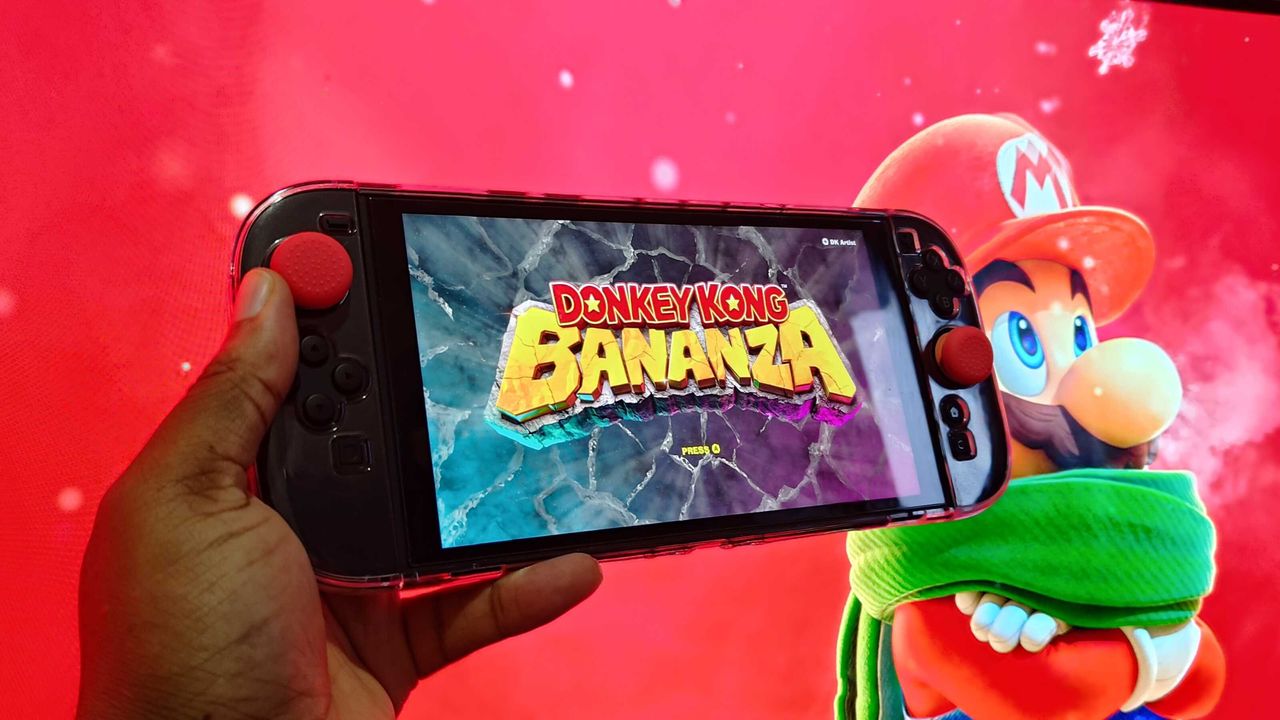
With the Switch 2 fast approaching its first anniversary, Nintendo has released a major new update for its console that aims to make last-gen Switch games perform better on it. Switch 2 firmware version 22.0.0 adds a new "Handheld Mode Boost" to the console--alongside a whole lot more--that will allow compatible Switch 1 games to run in Docked mode while playing them in the Switch 2's handheld mode. Nintendo did note that the new mode has a few flaws, as it increases Switch 2's power consumption, and it might disable touchscreen settings. "Because this option forces TV mode operation, some instructions may be incorrect or fail to operate correctly," Nintendo explained in its patch notes. To use Handheld Boost Mode, you'll need to enable the following settings: How to enable on Switch 2 On the Home menu, select System Settings Scroll down and select the System option Scroll down and select Nintendo Switch Software Handling Select the Handheld Mode Boost option Essentially, Handheld Mode Boost allows Switch 1 games to run with similar performance to the same software being played in TV mode, and take better advantage of the Switch 2's 1080p screen. It's not clear just how improved these visuals will ultimately be, but if you've built up a sizable Switch library, it's still nice to have an enhanced version of your game collection. Continue Reading at GameSpot